2025
Enlinve AI
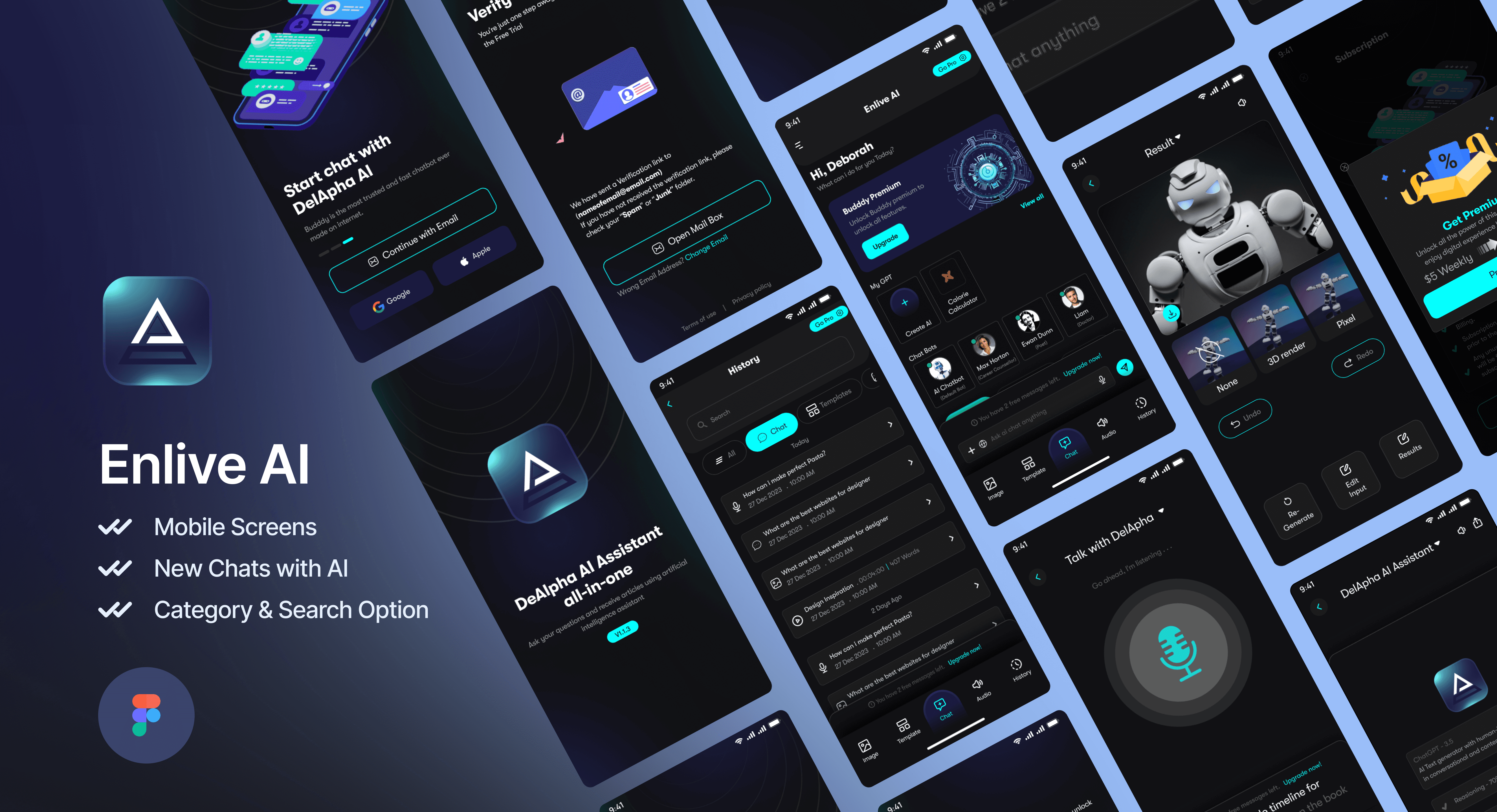
A Powerful AI Chatbot. AI Text-to-Speech technology utilizes sophisticated artificial intelligence algorithms to convert written text into natural-sounding speech.
Branding
Logo Design
Know More
Enlive - your AI companion that fits with a sleek, minimalist interface featuring a calm gradient and floating celestial animations, Enlive is more than just another AI assistant
A Perfect Blend of Elegance and Functionality
The app uniquely adapts to your daily rhythm, showing a dynamic interface, while intelligent gestures let you simply swipe to switch between chat, voice, and camera modes. What sets DelApha apart is its emotional intelligence system that reads your tone and mood, adjusting its responses and even the UI's color temperature to match your emotional state - creating a truly personalized experience that grows more intuitive with every interaction.
Problem
I was tasked with completely redesigning a mobile application to enhance the user experience, modernize the interface, and integrate new premium features while maintaining the existing backend functionality. My goal was to create a cohesive design system that would work seamlessly across both mobile and tablet form factors, ensuring consistency and improved usability
Problem Statement
The existing application, while functional, required a significant refresh to align with modern design standards and support new premium features. Key challenges identified included:
The outdated visual design did not reflect the brand’s current identity, and there was limited infrastructure to support the planned premium features. The user experience across devices lacked consistency, and accessibility enhancements were urgently needed to ensure inclusivity for all users.
User Research
To gain insights into the existing application and identify areas for improvement, I undertook a comprehensive user research phase. This involved analyzing user feedback and usage patterns to understand real-world issues, conducting a competitive analysis of similar applications to benchmark the redesign, and interviewing stakeholders to align business goals with user needs. I also conducted user interviews to uncover pain points and potential opportunities for improvement.
Key Insights
My research revealed several critical insights:
Users expressed a strong desire for more intuitive navigation, particularly for complex features.
The premium features required a clear value proposition to encourage adoption.
The voice assistant functionality needed greater visibility and usability improvements.
The subscription process was overly complicated and needed simplification.

Solution
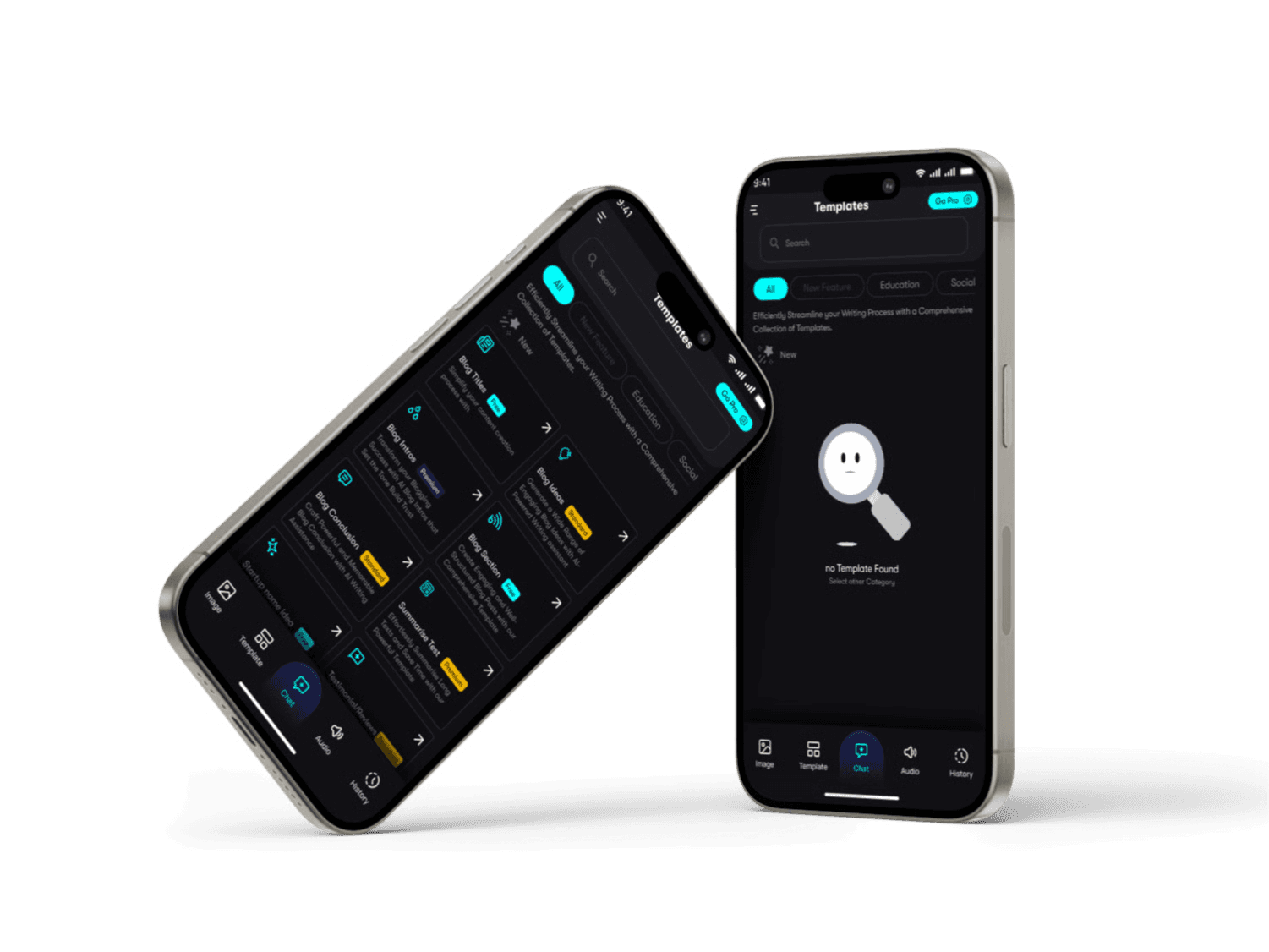
I implemented a step-by-step wizard interface for the chatbot creation feature. This design approach provided users with clear guidance through each step of the process. I introduced a strong visual hierarchy to prioritize options effectively, added progress indicators to keep users informed, included a preview functionality for real-time feedback, and designed error states alongside contextual help systems to address potential user challenges.
Voice Assistant Interface
For the voice assistant, I developed a minimal, focused interface that enhanced usability. Clear visual feedback was implemented to guide users during voice interactions, and accessible alternatives were included to accommodate diverse user needs. The design accounted for different states, such as listening, processing, and responding, ensuring a seamless user experience.
Subscription Management
The subscription management feature underwent significant simplification. I redesigned the pricing display to be more straightforward and created clear feature comparison charts to assist decision-making. Integration with Google subscriptions was made seamless, and I implemented user-friendly flows for upgrading and downgrading subscription plans.

Concept
To ensure a smooth transition from design to development, I provided detailed specifications to the development team. These included component documentation, optimized assets for Flutter, interaction specifications, and documentation of accessibility requirements. This comprehensive handoff minimized ambiguity and streamlined the development process.
Quality Assurance
I conducted rigorous usability testing using prototypes to validate design decisions. Accessibility compliance was verified to meet WCAG 2.1 standards, and responsive behavior was tested to ensure consistency across devices. Cross-device consistency checks further ensured a uniform user experience.
Results and Impact
The redesign delivered significant improvements, including:
Increased user satisfaction scores, attributed to enhanced usability and modern aesthetics. Users completed key tasks more efficiently, and adoption rates for premium features saw a notable rise. Additionally, the application achieved better accessibility compliance scores, reflecting the inclusive design approach.

More Works


FAQ
01
What does a project look like?
02
How is the pricing structure?
03
Are all projects fixed scope?
04
How do I measure success?
05
What do I need to get started?
2025
Enlinve AI
A Powerful AI Chatbot. AI Text-to-Speech technology utilizes sophisticated artificial intelligence algorithms to convert written text into natural-sounding speech.
Branding
Logo Design
Know More
Enlive - your AI companion that fits with a sleek, minimalist interface featuring a calm gradient and floating celestial animations, Enlive is more than just another AI assistant
A Perfect Blend of Elegance and Functionality
The app uniquely adapts to your daily rhythm, showing a dynamic interface, while intelligent gestures let you simply swipe to switch between chat, voice, and camera modes. What sets DelApha apart is its emotional intelligence system that reads your tone and mood, adjusting its responses and even the UI's color temperature to match your emotional state - creating a truly personalized experience that grows more intuitive with every interaction.
Problem
I was tasked with completely redesigning a mobile application to enhance the user experience, modernize the interface, and integrate new premium features while maintaining the existing backend functionality. My goal was to create a cohesive design system that would work seamlessly across both mobile and tablet form factors, ensuring consistency and improved usability
Problem Statement
The existing application, while functional, required a significant refresh to align with modern design standards and support new premium features. Key challenges identified included:
The outdated visual design did not reflect the brand’s current identity, and there was limited infrastructure to support the planned premium features. The user experience across devices lacked consistency, and accessibility enhancements were urgently needed to ensure inclusivity for all users.
User Research
To gain insights into the existing application and identify areas for improvement, I undertook a comprehensive user research phase. This involved analyzing user feedback and usage patterns to understand real-world issues, conducting a competitive analysis of similar applications to benchmark the redesign, and interviewing stakeholders to align business goals with user needs. I also conducted user interviews to uncover pain points and potential opportunities for improvement.
Key Insights
My research revealed several critical insights:
Users expressed a strong desire for more intuitive navigation, particularly for complex features.
The premium features required a clear value proposition to encourage adoption.
The voice assistant functionality needed greater visibility and usability improvements.
The subscription process was overly complicated and needed simplification.
Solution
I implemented a step-by-step wizard interface for the chatbot creation feature. This design approach provided users with clear guidance through each step of the process. I introduced a strong visual hierarchy to prioritize options effectively, added progress indicators to keep users informed, included a preview functionality for real-time feedback, and designed error states alongside contextual help systems to address potential user challenges.
Voice Assistant Interface
For the voice assistant, I developed a minimal, focused interface that enhanced usability. Clear visual feedback was implemented to guide users during voice interactions, and accessible alternatives were included to accommodate diverse user needs. The design accounted for different states, such as listening, processing, and responding, ensuring a seamless user experience.
Subscription Management
The subscription management feature underwent significant simplification. I redesigned the pricing display to be more straightforward and created clear feature comparison charts to assist decision-making. Integration with Google subscriptions was made seamless, and I implemented user-friendly flows for upgrading and downgrading subscription plans.
Concept
To ensure a smooth transition from design to development, I provided detailed specifications to the development team. These included component documentation, optimized assets for Flutter, interaction specifications, and documentation of accessibility requirements. This comprehensive handoff minimized ambiguity and streamlined the development process.
Quality Assurance
I conducted rigorous usability testing using prototypes to validate design decisions. Accessibility compliance was verified to meet WCAG 2.1 standards, and responsive behavior was tested to ensure consistency across devices. Cross-device consistency checks further ensured a uniform user experience.
Results and Impact
The redesign delivered significant improvements, including:
Increased user satisfaction scores, attributed to enhanced usability and modern aesthetics. Users completed key tasks more efficiently, and adoption rates for premium features saw a notable rise. Additionally, the application achieved better accessibility compliance scores, reflecting the inclusive design approach.
More Works
FAQ
01
What does a project look like?
02
How is the pricing structure?
03
Are all projects fixed scope?
04
How do I measure success?
05
What do I need to get started?
2025
Enlinve AI
A Powerful AI Chatbot. AI Text-to-Speech technology utilizes sophisticated artificial intelligence algorithms to convert written text into natural-sounding speech.
Branding
Logo Design
Know More
Enlive - your AI companion that fits with a sleek, minimalist interface featuring a calm gradient and floating celestial animations, Enlive is more than just another AI assistant
A Perfect Blend of Elegance and Functionality
The app uniquely adapts to your daily rhythm, showing a dynamic interface, while intelligent gestures let you simply swipe to switch between chat, voice, and camera modes. What sets DelApha apart is its emotional intelligence system that reads your tone and mood, adjusting its responses and even the UI's color temperature to match your emotional state - creating a truly personalized experience that grows more intuitive with every interaction.
Problem
I was tasked with completely redesigning a mobile application to enhance the user experience, modernize the interface, and integrate new premium features while maintaining the existing backend functionality. My goal was to create a cohesive design system that would work seamlessly across both mobile and tablet form factors, ensuring consistency and improved usability
Problem Statement
The existing application, while functional, required a significant refresh to align with modern design standards and support new premium features. Key challenges identified included:
The outdated visual design did not reflect the brand’s current identity, and there was limited infrastructure to support the planned premium features. The user experience across devices lacked consistency, and accessibility enhancements were urgently needed to ensure inclusivity for all users.
User Research
To gain insights into the existing application and identify areas for improvement, I undertook a comprehensive user research phase. This involved analyzing user feedback and usage patterns to understand real-world issues, conducting a competitive analysis of similar applications to benchmark the redesign, and interviewing stakeholders to align business goals with user needs. I also conducted user interviews to uncover pain points and potential opportunities for improvement.
Key Insights
My research revealed several critical insights:
Users expressed a strong desire for more intuitive navigation, particularly for complex features.
The premium features required a clear value proposition to encourage adoption.
The voice assistant functionality needed greater visibility and usability improvements.
The subscription process was overly complicated and needed simplification.
Solution
I implemented a step-by-step wizard interface for the chatbot creation feature. This design approach provided users with clear guidance through each step of the process. I introduced a strong visual hierarchy to prioritize options effectively, added progress indicators to keep users informed, included a preview functionality for real-time feedback, and designed error states alongside contextual help systems to address potential user challenges.
Voice Assistant Interface
For the voice assistant, I developed a minimal, focused interface that enhanced usability. Clear visual feedback was implemented to guide users during voice interactions, and accessible alternatives were included to accommodate diverse user needs. The design accounted for different states, such as listening, processing, and responding, ensuring a seamless user experience.
Subscription Management
The subscription management feature underwent significant simplification. I redesigned the pricing display to be more straightforward and created clear feature comparison charts to assist decision-making. Integration with Google subscriptions was made seamless, and I implemented user-friendly flows for upgrading and downgrading subscription plans.
Concept
To ensure a smooth transition from design to development, I provided detailed specifications to the development team. These included component documentation, optimized assets for Flutter, interaction specifications, and documentation of accessibility requirements. This comprehensive handoff minimized ambiguity and streamlined the development process.
Quality Assurance
I conducted rigorous usability testing using prototypes to validate design decisions. Accessibility compliance was verified to meet WCAG 2.1 standards, and responsive behavior was tested to ensure consistency across devices. Cross-device consistency checks further ensured a uniform user experience.
Results and Impact
The redesign delivered significant improvements, including:
Increased user satisfaction scores, attributed to enhanced usability and modern aesthetics. Users completed key tasks more efficiently, and adoption rates for premium features saw a notable rise. Additionally, the application achieved better accessibility compliance scores, reflecting the inclusive design approach.
More Works
FAQ
What does a project look like?
How is the pricing structure?
Are all projects fixed scope?
How do I measure success?
What do I need to get started?